
Lieferzeit in ganz Litauen: 5-10 Werktage
Lieferpreis an die angegebene Adresse: 3 Euro


Trumpai apie prekę
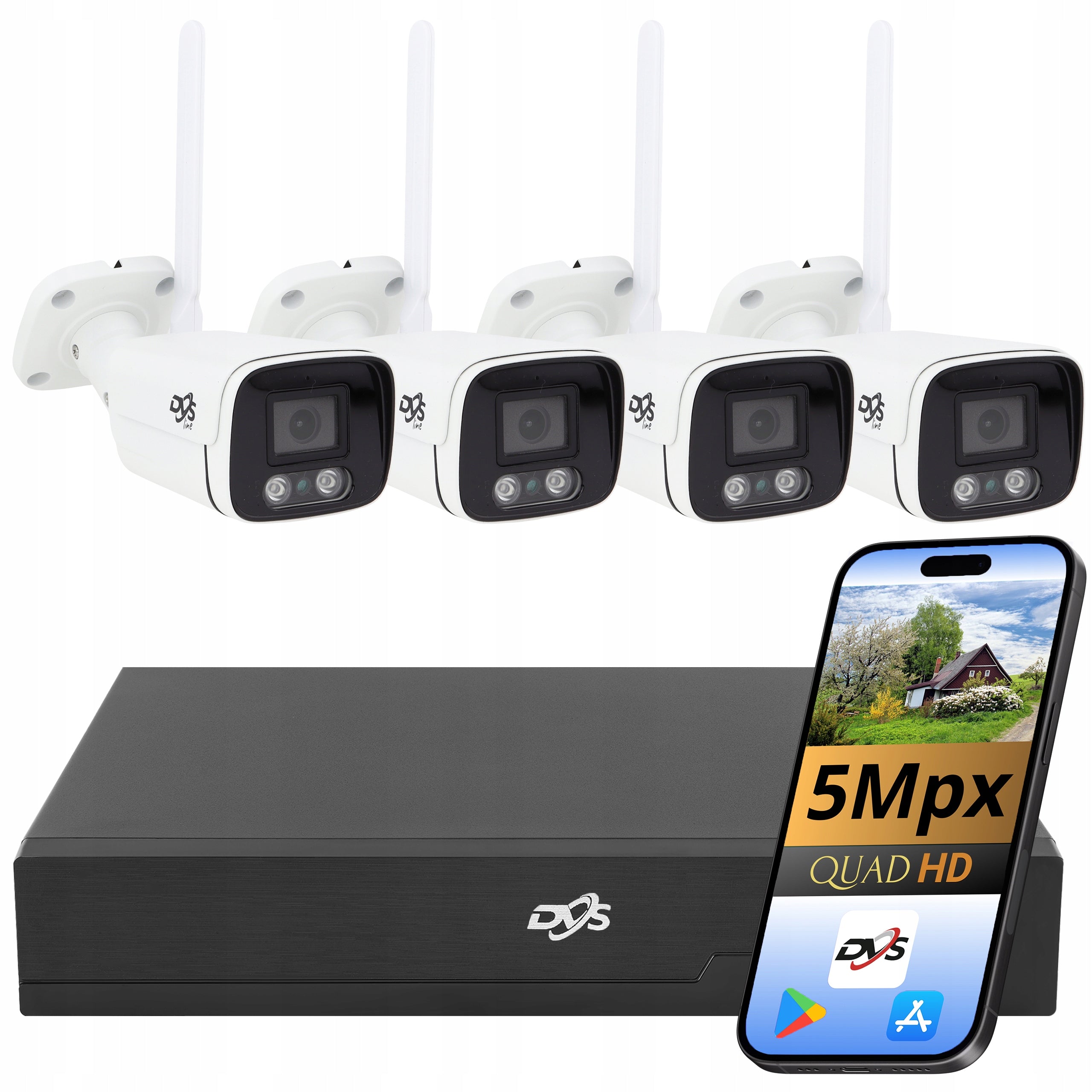
Prekė: Lauko metalinė vamzdinė WiFi stebėjimo kamera 5Mpx 4x su įrašymo įrenginiu DVS. Kategorija: Rinkiniai.
- Gamintojas: DVS
- Modelis: ZESTAW 4 KAMER WIFI TUBA 5 MPX DO MONITORINGU DVS
💡 Why is it worth buying from us?
By buying from us, you gain not only proven equipment, but also professional support at every stage of the purchase. Thanks to this, you can easily choose the right solution, start devices faster and more convenient to use them every day.
🏢 We are one of the largest Polish companies specializing in the distribution and sale of monitoring systems, alarm systems and consumer electronics.
📘 We prepare our own detailed operating instructions for all our products, so that it will be easier for you to go through the independent process of commissioning and configuration of devices.
📱 The products we sell work on mobile applications without cumbersome advertising.
🛠 We have a technical support department that will be able to help you with most technical problems by phone or e-mail.
✅ By choosing our offer, you gain not only the product, but also experience, help and comfort of purchase.
⭐The most important features of the set
✅ 4 Outdoor Wi-Fi Tube Cameras DVS in White
✅ Resolution 5 Mpx – detailed image 2560 × 1944 px
✅ Human detection – more effective detection of significant events
✅ IR night mode up to 20 m – monitoring also after dark
✅ Built-in microphone and speaker – audio recording and two-way communication
✅ Remote viewing via CamHiPro
✅ Wi-Fi or wired connection via RJ45
✅ 8-channel recorder DVS-NVR0801-E8 – possibility to expand the system with additional cameras tube and rotary, in white or black, with a resolution of up to 8 Mpx
⚡ What else?
✅ IP66 resistance – possibility of mounting cameras outside
✅ H.265 and H.265+ compression – less disk space consumption
✅ Motion detection in 4 areas – the possibility of selecting monitored zones
✅ Privacy mask – obscuring selected fragments of the image
✅ ROI function – higher image quality in the most important areas
✅ DWDR, BLC and HLC – image enhancement in difficult lighting
✅ 3D DNR – noise reduction, especially after dark
✅ Slot microSD up to 256 GB in each camera
✅ ONVIF and RTSP support – greater compatibility with network devices
✅ Recording schedule and automatic overwriting
✅ Remote access for up to 64 users
⚡ Who is this set for?
The DVS Wi-Fi monitoring kit will work where you need remote viewing, local recording and easier installation without conducting network cables to each camera.
Ideal for:
▶ houses and property – entrance, driveway, garden, garage, gate and gate
▶ companies and offices – control of entrances, corridors, facilities and workplaces
▶ shops and service premises – monitoring of the sales room, cash register and entrance
▶ warehouses and workshops – supervision of property, deliveries and facilities
▶ lot and cottages – remote viewing in absence
▶ construction sites and economic facilities – monitoring of places where network cables are difficult to operate
⚡ The set includes
✅ 1x DVS-NVR0801-E8 network recorder – 8-channel IP recorder with image support up to 8 Mpx, H.265+ compression and HDMI and VGA outputs; supplied with a set of accessories
✅ 4x Wi-Fi camera DVS-MP5036ET-IRW – external 5 Mpx horn camera with human detection, IR night mode, microphone, speaker and IP66 protection class; each camera with a set of mounting and power accessories
⚡WiFi monitoring without signal wires
The cameras can be connected to your local router over Wi-Fi. The recorder is connected via LAN cable to the same router or switch. Thanks to this, the devices are located in one network and the recorder can receive images from cameras.
The system can be configured in two ways:
- Wireless connection
Cameras transmit images to the network over Wi-Fi. Only 12 V power supply must be supplied to each camera. This solution is useful in places where full network cabling cannot be performed.
- Wired connection
Each camera also has an RJ45 connector, so it can be connected with a network cable to a router or switch. This solution can be used with weak or unstable Wi-Fi coverage. The cameras still require a separate 12V power supply – they do not support PoE power.
⚡ 5 Mpx image – clearer recordings and more details
DVS-MP5036ET-IRW cameras capture images at 2560 × 1944 px at 15 fps. /s. Thanks to this, the recordings retain good detail when monitoring the entrance, driveway, garden, garage or area around the building.
What provides 5 Mpx resolution?
✅ More visible details – a more accurate picture of people, vehicles and the environment
✅ Better analysis of events – easier to check the course of the situation on the recording
✅ Digital approximation of the image – the possibility of enlarging a selected fragment of material
✅ Lens 3,6 mm – universal field of observation for monitoring properties and buildings
✅ Angle of view about 86° – wide view while maintaining the readability of the most important elements of the frame
⚡ Human detection and event notifications
The cameras recognize the presence of a human in the monitored area. Once properly configured, they can start recording and send a notification to the CamHiPro app.
What does human detection provide?
✅ People detection – the camera reacts to the appearance of a human in the frame
✅ Notifications in the application – quick information about the detected event
✅ Automatic recording – recording of material after alarm occurs
✅ 4 motion detection areas – the ability to indicate the most important parts of the image, such as the gate, gate or driveway
⚡ Remote access from your phone via the CamHiPro app
After connecting the DVR to the Internet, you can support monitoring from your phone or tablet using the CamHiPro application. The application allows you to view images from cameras, receive notifications and view saved recordings – regardless of where you are.
What do you gain in the CamHiPro app?
- ✅ Live view – quick check of images from all cameras
- ✅ Event notifications – information after motion or human detection
- ✅ Access to recordings – viewing materials stored on the recorder’s disk (no disk included)
- ✅ Two-way audio – listening to the surroundings and talking through the selected camera
- ✅ Photos and recordings – saving selected materials on a mobile device
- ✅ Android and iOS support – access from phones and tablets with the most popular systems
⚡ Local preview on your monitor or TV
You can connect the recorder directly to your monitor or TV. Thanks to this, you can check the image from the cameras without using the phone, play back the saved materials and configure the settings of the entire system.
What does local service allow?
- ✅ Live image preview – display images from all cameras on one screen
- ✅ Recording playback – search for saved materials by date and time
- ✅ System configuration – setting the recording schedule, detection and camera parameters
- ✅ HDMI output – connecting a monitor or TV with a high-definition image
- ✅ VGA output – possibility to connect an older monitor
- ✅ 2 USB ports – connecting a mouse to support a menu or USB stick to export recordings
- ✅ Audio output – connecting external speakers
- ✅ LAN RJ45 port – connection of the recorder with a router or switch
⚡ Night monitoring with infrared illumination
The cameras are equipped with an IR infrared heater and a mechanical ICR filter, so they can conduct observation even after dark. In total darkness, they capture a clear, black-and-white image with an illumination range of up to 20 m.
What does night mode provide?
✅ IR infrared lighting – monitoring also in the absence of light
✅ Night range up to 20 m – observation of the entrance, driveway and the area around the building
✅ Mechanical ICR filter – automatic switching of the camera between day and night mode
✅ Sensitivity 0,01 lx – better visibility in low light
✅ Readable black and white – discreet observation without the use of visible light
⚡ Microphone and speaker – two-way audio communication
Each camera has a built-in microphone and speaker, thanks to which the monitoring captures not only the image, but also the sound from the observed place. You can also use the CamHiPro app to reach a person near the camera.
✅ Ambient listening – checking what is happening in the monitored place
✅ Two-way conversation – communication via camera from the phone
✅ Video recording with sound – more information during event analysis
The function will work, among others, when entering the property, gate, driveway, warehouse, workshop or when receiving courier deliveries.
⚡ Metal housing and IP66 resistance
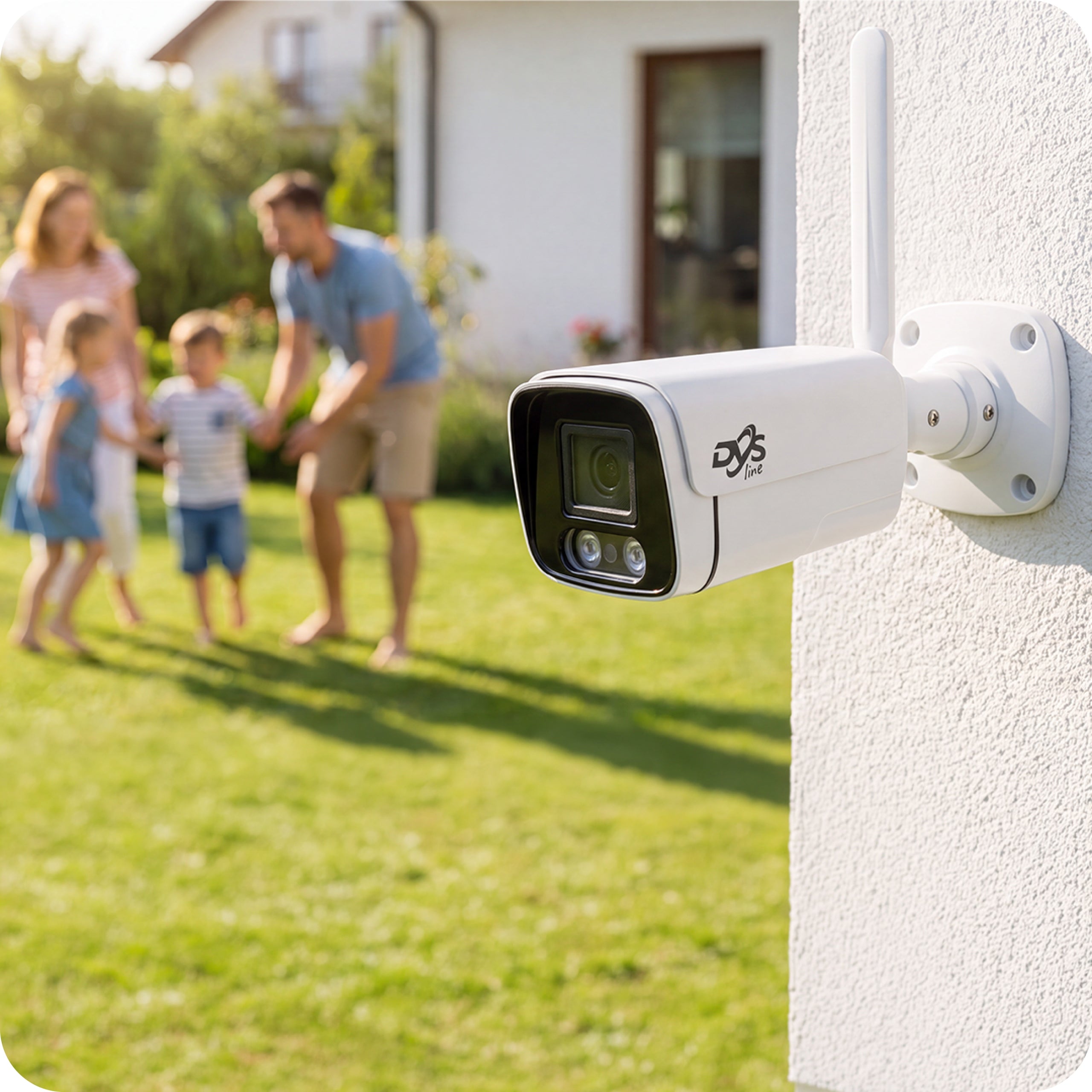
The cameras have solid metal tube housings adapted for outdoor installation. The IP66 tightness class provides protection against dust, moisture and precipitation.
✅ Metal housing – greater durability and resistance to external conditions
✅ IP66 protection class – protection against dust, rain and snow
✅ Working temperature from -40°C to +60°C – stable operation during frosts and high temperatures
The cameras will work well when monitoring home, driveway, garden, garage, warehouse or company premises. During installation, the RJ45 network connector and power connection should be additionally protected against moisture.
⚡ IP recorder DVS-NVR0801-E8 – the center of the entire system
The DVS-NVR0801-E8 recorder is responsible for receiving images from cameras, recording recordings and managing the operation of the entire monitoring system. It allows you to conveniently view live, play back content and configure the recording method.
The applied compression H.265+ limits the amount of space occupied by recordings while maintaining good image quality. The recorder allows you to set a recording schedule, automatically overwrite the oldest materials and search for recordings by date and time.
The device supports IP cameras with a resolution of up to 8 Mpx 4K Ultra HD, allowing you to capture high-detail images. This facilitates the subsequent analysis of events and digital approximation of selected fragments of the recording.
The recorder has a durable metal housing and works with compatible network cameras compliant with the ONVIF standard.
⚙ Technical specification of DVS-MP5036ET-IRW camera
- Resolution: 5 Mpx, 2560 × 1944 px
- Lens: 3,6 mm, viewing angle 86°
- Type: Outdoor Wi-Fi IP Tube Camera
- Color and housing: white, metal
- Night mode: IR up to 20 m, ICR filter
- Detection: human movement and silhouette
- Audio: built-in microphone and speaker
- Memory card: microSD up to 256 GB
- Connectivity: Wi-Fi and RJ45 10/100 Mbps
- Compression: H.265
- Image functions: DWDR, BLC, HLC, 3D DNR, AGC, AWB
- Application: CamHi/CamHiPro, Android and iOS
- Protection class: IP66
- Working temperature: from -40°C to +60°C
- Power supply: 12 V DC, power supply included
- Dimensions: 185 × 65 × 60 mm
- Connections: 12V DC power supply, RJ45 LAN and RESET button.
⚙ DVS-NVR0801-E8 specification
- Maximum supported resolution: 4K Ultra HD 3840x2160p (8Mpx)
- Maximum number of cameras supported: 8
- Bitrate: 80Mbps
- Number of disks supported: 1
- Image compression: H.265+
- Outputs: DC 12V (1x), HDMI (x1), VGA (x1), USB (x2), audio out (x1), LAN (x1)
- Network connector: RJ 45 10M/100M
- Mobile application: CamHiPro
- Maximum number of remote users: 64
- Protocol support: Onvif 2.04
- Power supply: DC 12V, 2A
- Dimensions: 255mm x 230mm x 45mm
- Operating temperature: from -10°C to +45°C
- Weight: 1200g
- Housing type: metal
Connectors:
- DC 12V SOCKET - power connection
- HDMI- monitor/display connection
- VGA - monitor/display connection
- 2x USB - connecting a mouse or pendrive
- AUDIO - connection of speakers
- LAN - internet connection / switch
⭕ FREQUENTLY ASKED QUESTIONS ⭕
1. Can the monitoring kit be started on its own?
Yes. Cameras should be connected to power, recorder to router, and then configure devices according to the instructions. Remote access can be activated in the CamHiPro app.
2. What is the distance between the cameras and the Wi-Fi router?
It depends on the quality and coverage of your local Wi-Fi network. The stability of the connection is affected, among others, by the distance, number and thickness of walls, radio interference and the place of installation of the router.
Before installing the cameras, we recommend configuring them and checking the quality of the connection at the planned installation sites.
3. Can Wi-Fi coverage be increased?
Yes. In case of weak signal, you can use a repeater, an additional access point or Wi-Fi Mesh system. The camera can also be connected to the network wired via RJ45 connector.
4. What happens when the Internet stops working?
Remote viewing through the app may then be unavailable. The system can still operate on the local network and record recordings, provided that the devices have power, are properly connected and have a configured recording location.
5. How to connect the DVR to the Internet?
The recorder should be connected with a network cable to a router or switch that has access to the Internet. If a wired connection is not possible, an additional access point can be used to act as a wireless network bridge.
6. Can I watch the camera image on my phone?
Yes. After connecting the recorder to the Internet and adding it to the CamHiPro application, you can use live preview, view recordings and receive event notifications.
7. Where are the recordings saved?
Recordings can be stored on a disk mounted in the recorder (no disk included). The cameras also support microSD card recording. The exact way of writing depends on the configuration and variant of the set.
8. How to display the image from the DVR?
The recorder can be connected to a monitor or TV via HDMI or VGA. When you start, the system menu and the first configuration wizard will appear on the screen.
9. Can the DVR be connected via HDMI cable to the laptop?
Usually not. HDMI and VGA connectors in laptops are most often image outputs, not inputs. Use a monitor or TV to operate the DVR locally.
10. Can the cameras be mounted outside?
Yes. The cameras have enclosures with IP66 protection class and are designed for outdoor use. During installation, power connectors and network connections should be additionally protected against moisture.
Specifications
| Group | Name | Value |
|---|---|---|
| Parametry | Condition | new |
| Parametry | Invoice | With VAT invoice |
| Parametry | Manufacturer code | DVS-NVR0801-E8+4xDVS-MP5036ET-IRW |
| Parametry | Model | ZESTAW 4 KAMER WIFI TUBA 5 MPX DO MONITORINGU DVS |
| Parametry | Brand | DVS |
| Parametry | Product width | 35 cm |
| Parametry | Product height | 35 cm |
| Parametry | Product depth | 35 cm |
| Parametry | Product weight | 5 kg |
| Parametry | Product weight with unit packaging | 5 kg |
| Parametry | Technology | IP |
| Parametry | Number of supported cameras | 8 |
| Parametry | Maximum recording resolution | 8 Mpx |
| Parametry | Lens | fixed-focus |
| Parametry | Infrared range | 30 m |
| Parametry | Camera waterproof rating | IP66 |
| Parametry | Installed disk capacity | 0 TB |
| Parametry | Maximum number of supported drives | 1 |
| Parametry | Maximum capacity of drives | 8 TB |
| Parametry | Video compression | H.265 |
| Parametry | Number of USB ports | 2 |
| Parametry | EAN (GTIN) | 5906022554710 |
| Parametry | Packaging status | original |
| Parametry | Certificates of conformity | CE |
| Parametry | Video outputs | HDMI,VGA |
| Parametry | Other ports | 1x GNIAZDO DC 12V,1x HDMI,1x VGA,1x AUDIO OUT,1x LAN |
| Parametry | Functions | phone app,motion detection,digital zoom |