
Pristatymo terminas kiekvienai prekei nurodomas prie kainos bloko.
Pristatymas visoje Lietuvoje: nemokamas.






Trumpai apie prekę
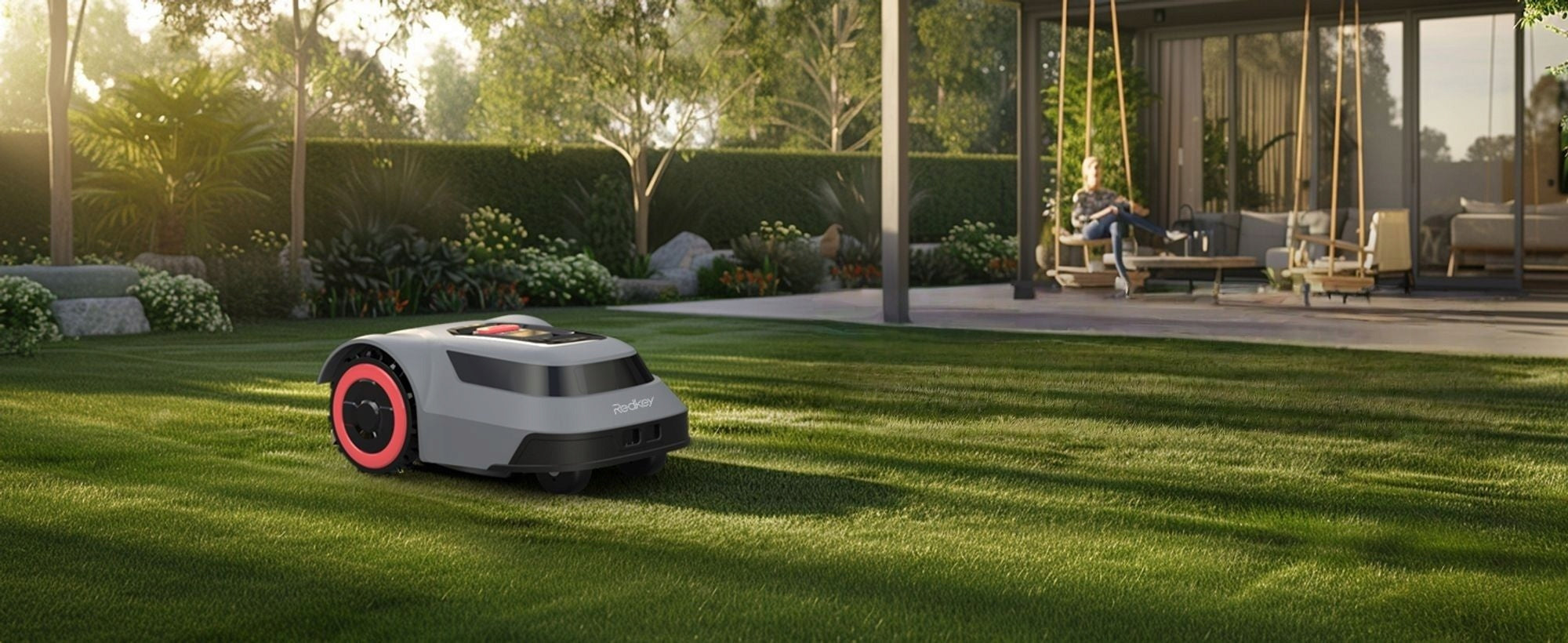
Prekė: Robotas vejapjovė Redkey MGC500, 800 m², C-ToF navigacija, valdymas programėle, 45 % nuolydis. Kategorija: Robotinės vejapjovės.
- Gamintojas: Redkey
- Modelis: MGC500
Brand new for 2025! Redkey MGC500 Robotic Lawn Mower
✅ 300% more efficient mowing – using the latest patented C-TOF technology
✅ Automatic height adjustment – when blocked by tall or dense grass, the smart blade automatically adjusts to keep mowing work prioritized and completed smoothly
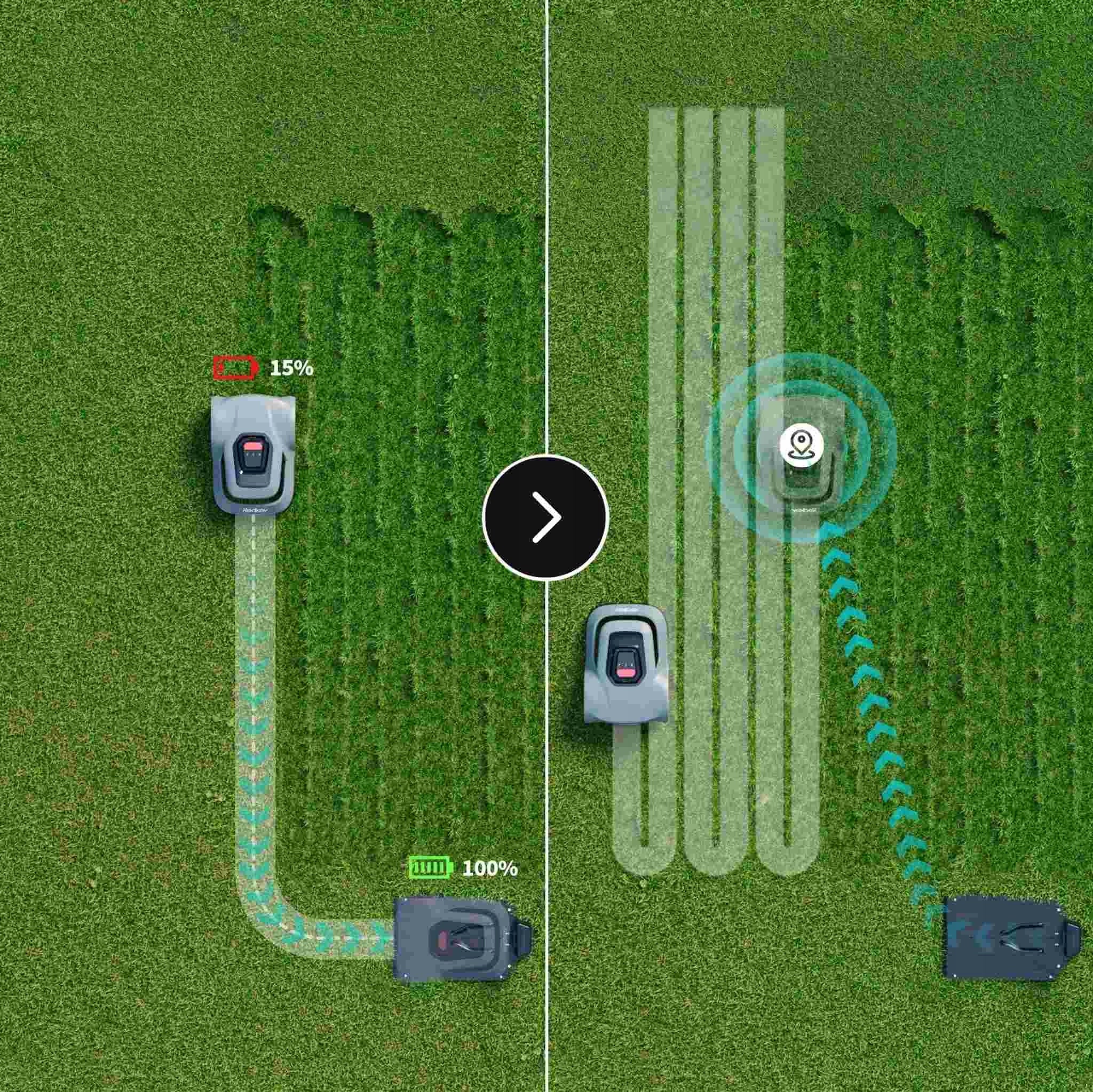
✅ U-shaped mowing – for maximum efficiency and a perfect lawn
✅ Remote control app – map editing, schedule, personalization of mowing modes
✅ Coverage up to 500 square meters – suitable for most homes
✅ IPX6 waterproof – easy to clean under running water.
✅ Automatic obstacle avoidance and automatic adjustment of climbing slopes
✅ Automatic charging
MOWING EFFICIENCY INCREASED BY 300%
Redkey mower uses C-TOF decimeter-level navigation, which is suitable for uneven and complex lawns. Through grid path planning, it achieves 99.7% coverage (no missed spots) and works 3 times faster than traditional mowers, significantly reducing mowing time. Traditional inertial navigation only works on flat lawns - on rough terrain it drifts and causes significant missed spots.
AUTOMATIC HEIGHT ADJUSTMENT & APP REMOTE ADJUSTMENT
Our robot mower provides automatic cutting height adjustment and remote APP control, saving your time/energy. Other mowers require manual on-site adjustments, which is tiring and time consuming.
45° SLOPE MOWING & ANTI-SKID TIRES & IPX6 WATERPROOF
The 45° slope handling combined with anti-skid tires allows the mower to tackle steep hills and uneven terrain for complete lawn coverage. The IPX6 waterproof feature supports high-pressure hose washing and triggers automatic pause in moderate rain, reducing malfunctions and extending service life.
BOUNDARY CABLE BREAK DETECTION
When the boundary cable is chewed by animals or accidentally cut, our robotic mower can automatically detect cable breakage. Simply bring it back to the charging station and the app will identify the location of the damage, making it easy to repair using the included cable connector.
AUTOMATIC CHARGING
Our mowers are equipped with large batteries that provide 70 minutes of active cutting time per charge. It automatically returns to the charging station when the battery level drops below 15% and resumes working as soon as it reaches 90% charge. Automatically returns to the charging station on rainy days
REAL-TIME TRACKING WITH APP
With our user-friendly app, you can monitor mowing progress, schedule mowing times, receive start and end mowing alerts, and view the real-time location and coverage area of your remote mower from anywhere, anytime.
Technical data:
- Mowing capacity: 90 square meters/hour
- Maximum working area: 500 square meters (0.12 acres)
- Disc diameter: 200 mm (7.87 inches)
- Cutting height: 30-70 mm (1.18-2.76 in)
- Cutting height adjustment: electric lift
- Overcome height: 30 mm (1.18 inches)
- Maximum climbing angle: 24° (45%)
- Running time: approx. 70 minutes
- Charging time: approx. 110 minutes
- Battery capacity: 2500 mAh (45 Wh)
- Waterproof: lawnmower housing ipx6
- Operating temperature range: 0-50°C (32122°F)
- Noise level: 57 dB(A)
- Cable length: 120 m (393.7 ft)
- Dimensions: 647 x 419 x 269 mm (25.47 x 16.50 x 10.59 in)
Packing list:
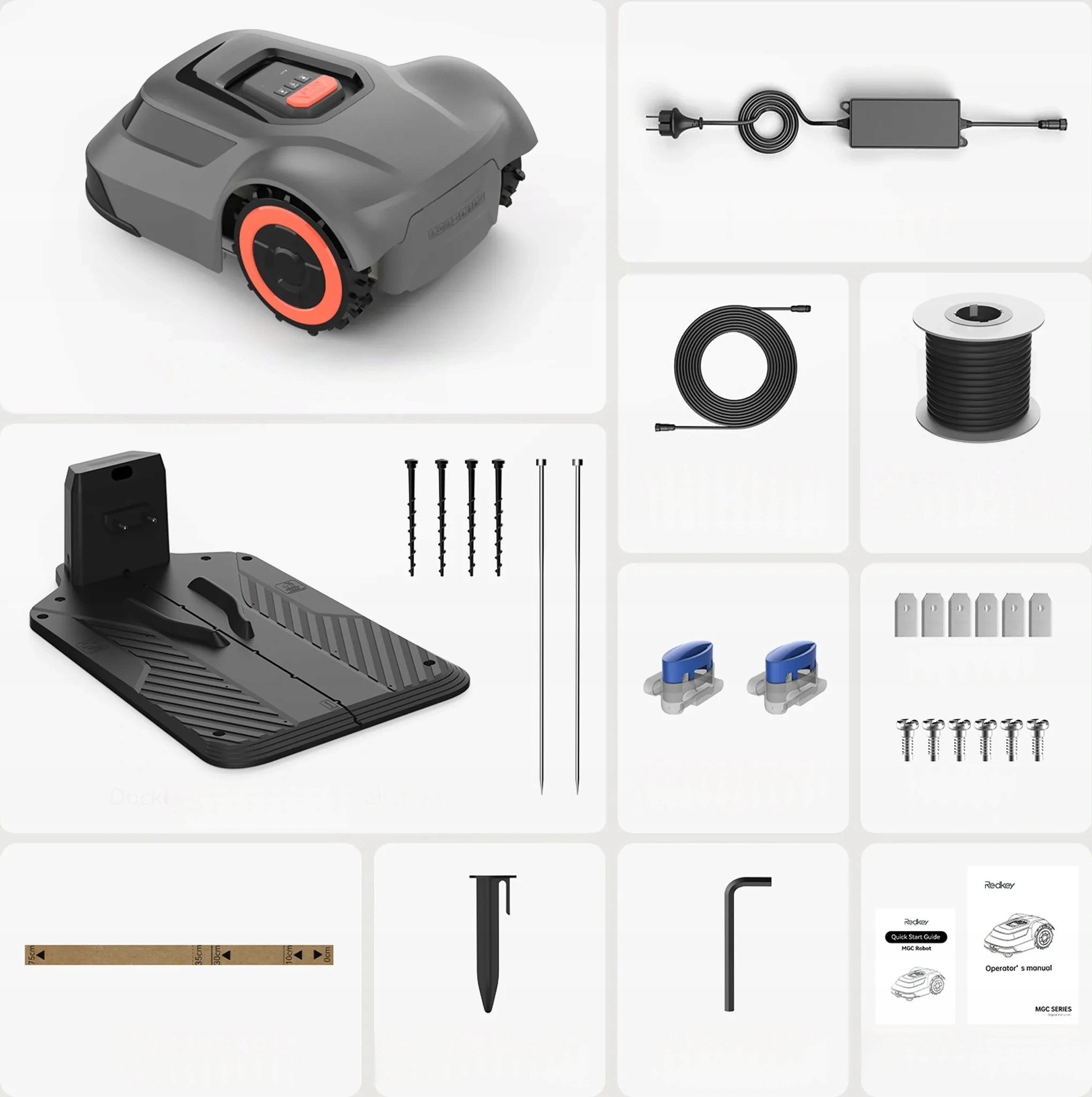
- 1×MGC series
- 1×power supply unit
- 1×low voltage cable (10m)
- 1×boundary cable (120m)
- 1×dock 4×screws 2×nails
- 2×cable connectors
- 6×additional blades
- 6×screws
- 1×ruler
- 160×pegs
- 1×cable connector
- 1×user manual*1
You might want to ask?
-
How does the workflow of this robotic lawnmower work?
Robotic lawn mowers use a boundary wire to define your lawn area. They move randomly within the boundary, trimming grass with rotating blades.
The boundary wire is a thin wire that you stake around the edges of your lawn.
-
How to use the disconnection detection function?
Simply place the robotic lawnmower on the charging station and see the exact fault position in real time in the app.
-
What if my front and back yard are separated by a fence?
In order to mow two grassy areas separated by a fence, the lawnmower would need an unobstructed pathway through the fence. If no path is present you may purchase an additional charging base and manually move redkey from one mow area to the other.
-
Can it be stolen?
Redkey lawn mower come with PIN code locks, alarms, or GPS tracking to deter theft. Always store the mower in a secure location when not in use.
-
Is it possible to set up this demarcation with APP for this lawn mower?
Unfortunately, this version is not possible. We will have better solutions in the future. But you can achieve it by boundary wire.
- What should you pay attention to when laying boundaries?
1. Tighten the boundaries
2. The rotation angle is greater than 90°
3. 5cm below the ground to reduce the risk of cuts
4. Please manually update to the latest version
- Why can't my robot create a map?
1. There are no obstacles on the boundary line
2. Manually pre-trim grass edges over 10 cm
3. Fill some larger holes
How to use the "Find Cable Break Detection" feature?
Simply place the robot mower on the charging station and see the exact location of the fault in real time in the app.
- Why doesn't my robot lawn mower do what it was scheduled to do?
1. Start-up delay due to rain
2. PIN code has not been unlocked
3. Error reporting issues have not been resolved
4. Battery level is less than 20%
5. The robot lawn mower time does not match the APP
Step 1:Installing the charging station
- The floor surface of the charging station should be level and the placement should be straight, not in a corner, and a space of more than 1.5 meters should be reserved at the front and rear.
- Metal ground pegs must be installed to ensure the magnetic field of the robotic lawnmower.
- The lawn should be on the left side of the charging column plug
Step 2:The safety ropes on both sides of the base station should be held horizontally and kept at a distance of 2-3 meters.
- Switching on the charging station
Step 3:Setting up the boundary wire
When securing: First make sure that the area is clear, roughly sketch out the shape and then fill in the gaps.
Step 4:Observe the installation distances
- Ensure that the boundary wire is taut (it can be fastened with the nails supplied).
- The boundary wire is at least 30 cm from the edge.
- The corner of the boundary wire should be blunt.
- If you have to dig into the ground, the depth is less than 4 cm.
Step 5:Charging the robot
Make sure that the connection points are firmly closed.
Step 6:Unlocking the PIN code
The initial PIN code is four zeros.
Specifications
| Group | Name | Value |
|---|---|---|
| Parametry | Condition | new |
| Parametry | Invoice | With VAT invoice |
| Parametry | Brand | Redkey |
| Parametry | Series | MGC500 |
| Parametry | Mowing width | 20 cm |
| Parametry | Mowing height adjustment range | 3–7 cm |
| Parametry | Mowing performance | 500 m² |
| Parametry | Average working time | 70 min |
| Parametry | Manufacturer code | Redkey MGC500 |
| Parametry | Customs tariff code | 84331910 |
| Parametry | Batteries included | yes |
| Parametry | Packaging status | original |
| Parametry | Certificates of conformity | CE |
| Parametry | Model | MGC500 |
| Parametry | Additional information | rain sensor,shock sensor,remote bluetooth controller,controlled via smartphone,PIN code |