
Pristatymo terminas kiekvienai prekei nurodomas prie kainos bloko.
Pristatymas visoje Lietuvoje: nemokamas.




Trumpai apie prekę
Prekė: Belaidis „Android Auto“ adapteris XSTORM, WiFi, Bluetooth. Kategorija: Radijo grotuvai.
- Gamintojas: no brand
- Modelis: ANDORID AUTO
DESIGNED FOR ALL CARS EQUIPPED WITH A PRE-ROW VERSION OF ANDROID AUTO
NO MORE CONNECTING YOUR PHONE TO THE CABLE EVERY TIME
XSTORM® wireless adapter lets you enjoy the features that Android Auto provides without the need to connect your phone to a USB cable every time
- ANDROID AUTO on the screen of your car without cables
- 5GHz Wireless WIFI Connectivity
- Bluetooth 5.0 wireless connectivity
- Hi-Fi quality of music played
- Small size - allow you to hide the device in a hardly visible place
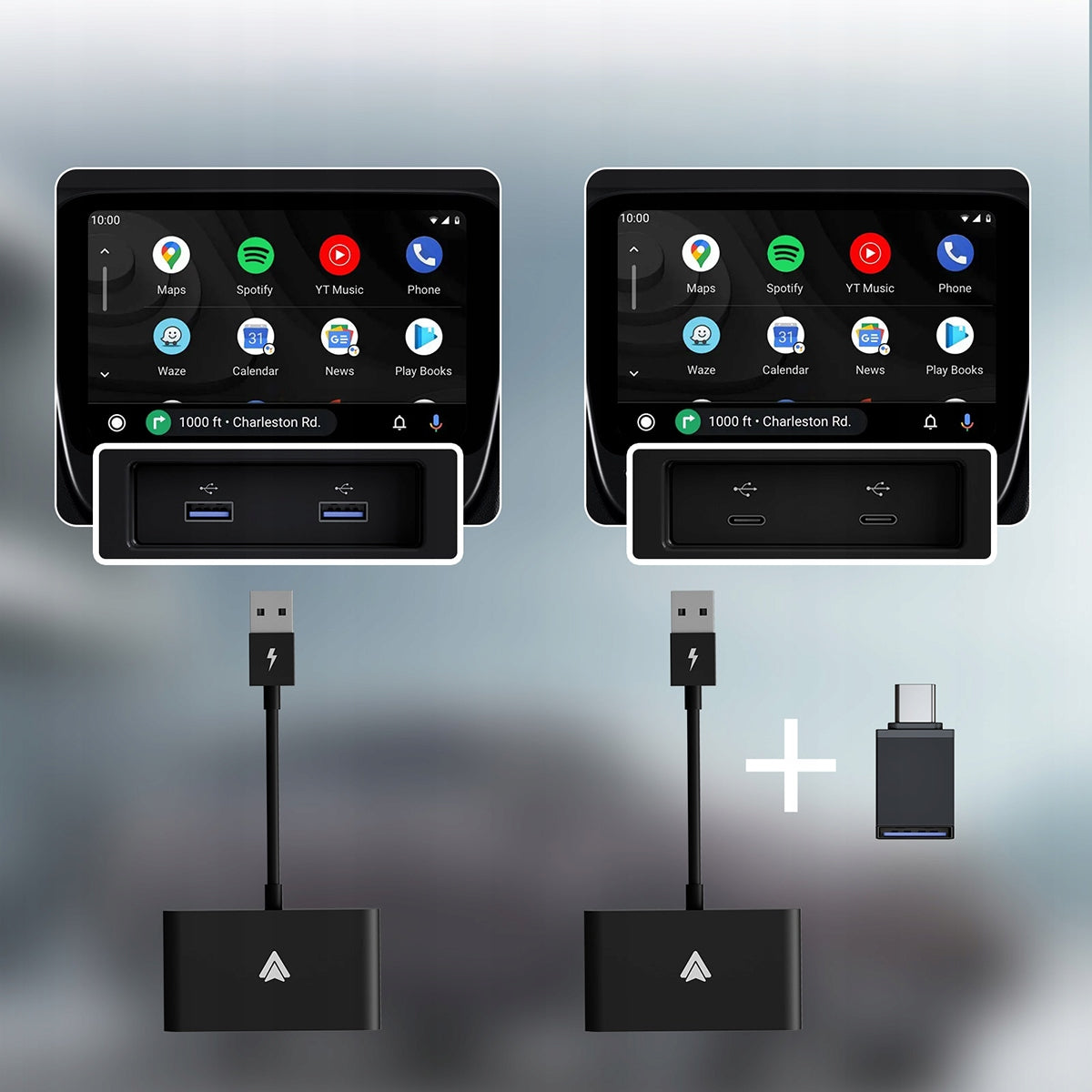
- USB-C adapter included
- Plug once and forget
- Connect in less than 15 seconds - before you start, the music will be played from the speakers of the car
- Automatic connection when the car radio is turned on
- Scares simple pairing of the device with the phone via Bluetooth
- Stable connection
- Doesn't hang
- Smooth operation without cuts
- Fast processor
- Electronic components of the highest quality
- All phones with ANDROID 11 and higher and equipped with 5GHz WIFI
- Andorid auto wireless operation consumes phone battery faster - remember to charge your phone
- Smooth operation of the ANDROID AUTO interface depends on the performance of the smartphone
- USB-C adapter included
- Dimensions 65mm/12.5mm/131mm
Cooperation:
- All cars factory equipped with wired android auto
- Some Chinese radios with android and wired android auto
- Some Chinese radios with wired android auto
- Some branded radios with wired android auto
- All phones with ANDROID 11 or higher and equipped with WIFI 5GHz
Connection instructions:
- Select the ADNROID AUTO media center icon in your car.
- Expand the top barrel in android and click the cog icon - settings.
- Search in the settings by typing "android auto" and select.
- In the android auto section, click "+ CONNECT TO CAR".
- Select "Wireless Connection via Android Auto".
- Click "Connect via Bluetooth" then "PAIR YOUR CAR".
- In Bluetooth settings, search for the smartBox device.
- Follow the information displayed on the screen regarding device pairing.
- Pairing completed - android auto will be displayed on the multimedia screen in the car.
Specifications
| Group | Name | Value |
|---|---|---|
| Parametry | Condition | new |
| Parametry | Invoice | With VAT invoice |
| Parametry | Brand | no brand |
| Parametry | Kind | accessory |
| Parametry | Model | ANDORID AUTO |
| Parametry | Product weight with unit packaging | 0.038 kg |
| Parametry | Media played | USB |
| Parametry | Radio | not specified |
| Parametry | Ports | USB |
| Parametry | Installation | custom |
| Parametry | EAN (GTIN) | 5905178381980 |
| Parametry | Manufacturer code | XSTORM ANDORD AUTO BEZPRZEWODOWY ADAPTER |
| Parametry | Communications | AirPlay,Bluetooth,Wi-Fi |