
Piegādes termiņš katrai precei ir norādīts pie cenas bloka.
Piegāde visā Lietuvā: bez maksas.
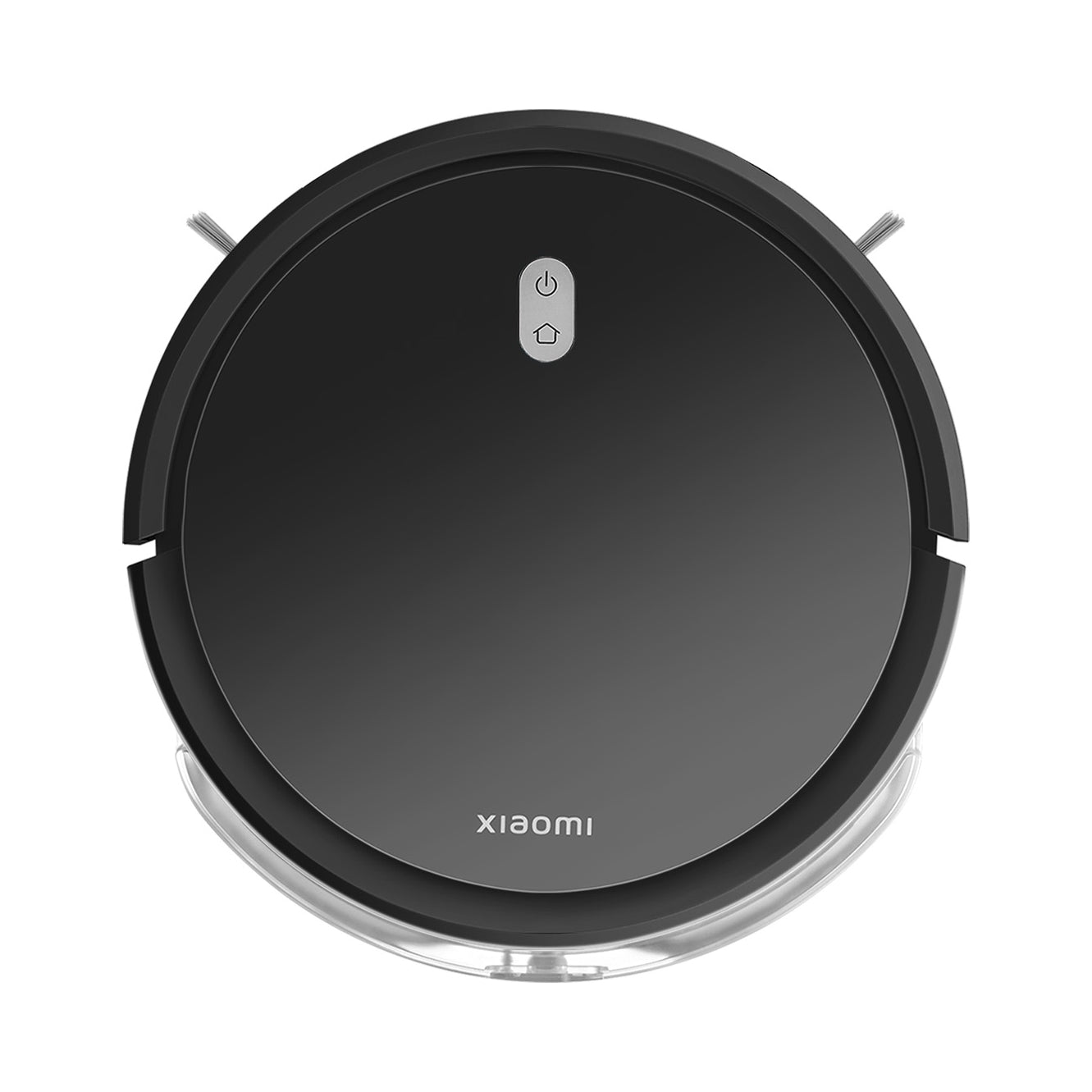


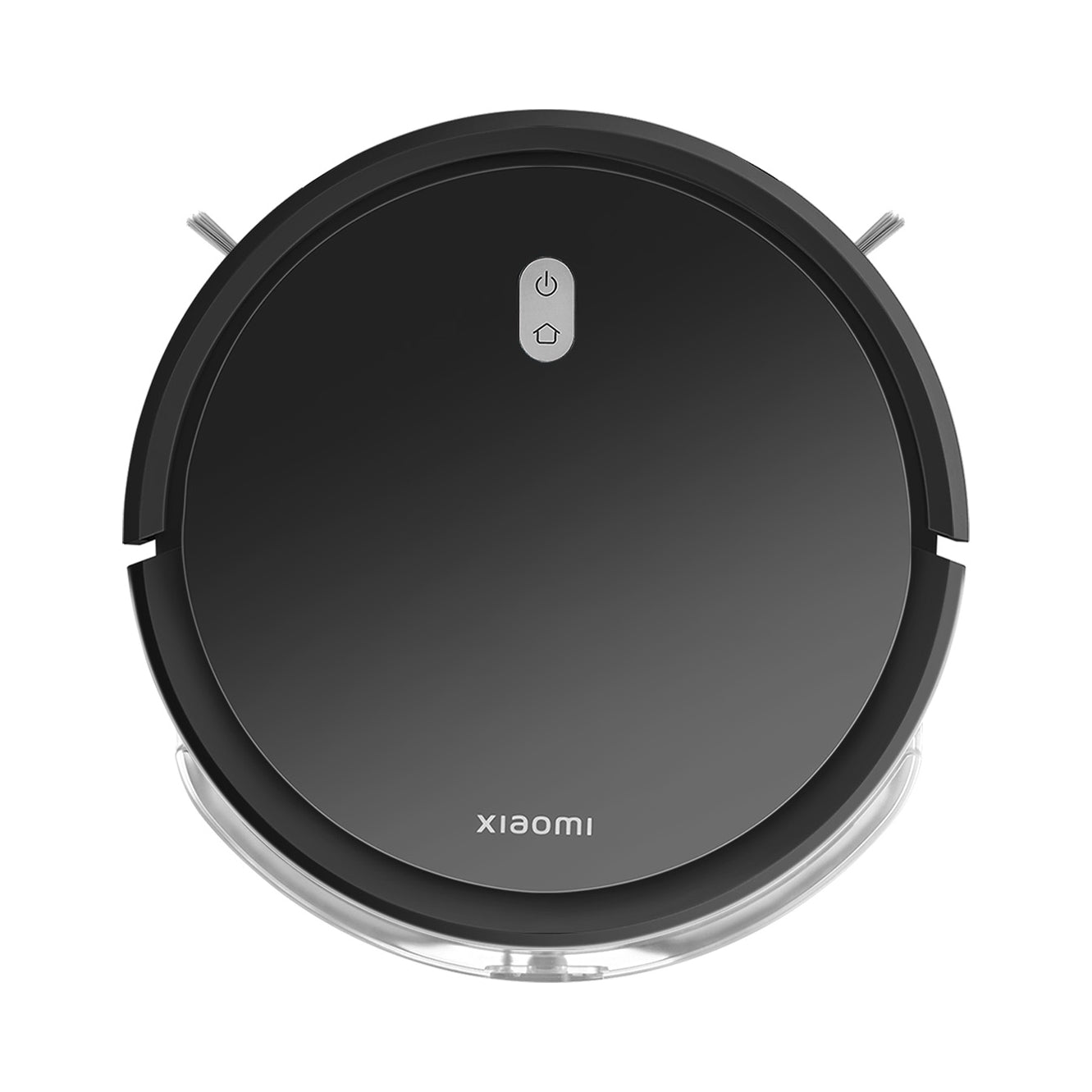


Trumpai apie prekę
Prekė: Valymo robotas Xiaomi E5 juodas su šluoste. Kategorija: Grindų valymo robotai.
- Gamintojas: no brand
- Modelis: Robot Vacuum E5 (Black) EU
- Galia: 25 W
⭐TECHNICAL DATA
- Suction power: 2000 Pa
- Mopping function: yes
- Capacity of dust container: approx. 400 ml
- Water tank capacity: approx. 200 ml
- Working time: up to 110 minutes
- Charging time: approx. 5 to 6 hours
- Color: black
- Weight: approx. 2,3 kg
- Functions: Automatic return to base and charging, Work programmer, Wi-Fi, Mopping function
- Height [cm]: 7
- Battery charging time [min]: 330
- Working time [min]: 110
- Suction power [kPa]: 2
- Capacity of dust tank [l]: 0.4
- Noise level [dB]: 65
- Automatic return to base and charging: Yes
- Sensors: Obstacles, Walls, Gyroscope
- Work programmer: Yes
- Virtual wall: No
⭐WHY CHOOSE THIS MODEL
The XIAOMI VACUUM E5 cleaning robot is an excellent choice for people who want to save time and enjoy a clean floor every day. It combines functionality, good performance and simple operation, making it suitable for any home and apartment.
⭐FUNCTIONS
• Vacuuming and mopping in one cycle
• 3 levels of suction power - matching the type of dirt
• Intelligent cleaning route planning
• Obstacle and edge sensors - safe operation
• Automatic return to charging station
• Low profile - easy cleaning under furniture
⭐Install the Mi Home/Xiaomi Home app and connect your device
1. Download the app: Xiaomi Home (or Mi Home) from Google Play /
App Store.
2. Turn on Bluetooth and WiFi on your phone.
3. Open the app and log in.
4. Click “+” (add device).
5. Select Robot Vacuum E5 from the list (or let the application go
detect).
6. Hold 2 buttons on the vacuum cleaner at the same time (WiFi reset),
until the LED flashes.
7. In the app, select your WiFi network and enter your password.
How to connect Xiaomi vacuum cleaner to Wi-Fi? Step by step
⭐Step 1. Check Wi-Fi access
Before connecting the cleaning robot to Wi-Fi,
Make sure that the network is available and working properly.
⭐Step 2. Install the Xiaomi Home app
After checking access to the network, the next step is download
Xiaomi Home app. In the Play Store or App Store, type a name
app and click Install. When you start the application, a window will appear
informing about the need to create an account. If you don't have one,
register according to the requirements of the application, and if you already have your
Mi ID – log in with your login and password.
⭐Step 3. Add a device
After logging in, in the app you will be able to add all your
Xiaomi smart devices to be able to control them remotely. Aby
add your vacuum cleaner to the app, click the “+” sign located
in the upper right corner. Then you can search for a vacuum cleaner
automatically, by detecting nearby devices, or use
manual search. Self-propelled vacuum cleaners can be found in the category
Cleaning equipment. Select your vacuum cleaner model from the list of devices.
⭐Step 4 Reset the device
After selecting the right vacuum cleaner model, it will display in the app
you receive a message about the need to reset the device. For this purpose
press the on/off button and at the same time
return button to the charging station for about 7 seconds. After this time
You will hear a voice message and the vacuum cleaner will go into configuration mode
networks.
⭐Step 5. Find Wi-Fi
Enter the name of the Wi-Fi network you are using. In the appropriate field in
Xiaomi Home mobile application enter the password to the selected network and go
to take further steps by clicking Next.
⭐Step 6. Set up a Wi-Fi network
Almost ready! Now all you have to do is set up a Wi-Fi network on your
device. You can do this by selecting Configure Wi-Fi now. After
You can now use all of these processes to complete this process
functionality of your Xiaomi self-propelled vacuum cleaner.
⭐CONTENT OF THE SET
XIAOMI Vacuum E5 EU cleaning robot, dust container x 1, water tank x 1, side brush x 2, mop pad x 1, power supply x 1, docking station x 1, cleaning brush x 1, documentation.
Specifications
| Group | Name | Value |
|---|---|---|
| Parametry | Condition | new |
| Parametry | Invoice | With VAT invoice |
| Parametry | Brand | no brand |
| Parametry | Dominant color | black |
| Parametry | Model | Robot Vacuum E5 (Black) EU |
| Parametry | Battery type | lithium-ion |
| Parametry | Battery voltage | 14.4 V |
| Parametry | Power | 25 W |
| Parametry | Dust container volume | 0.4 l |
| Parametry | Filter | w Zbiorniku na Kurz |
| Parametry | Charging time | 330 min |
| Parametry | Wireless operating time | 110 min |
| Parametry | Robot features | automatic return to the base |
| Parametry | Product width | 30 cm |
| Parametry | Product height | 7 cm |
| Parametry | Product depth | 30 cm |
| Parametry | Product weight | 4.5 kg |
| Parametry | Product weight with unit packaging | 4.5 kg |
| Parametry | Manufacturer code | Black-E5 |
| Parametry | EAN (GTIN) | 5906063512359 |
| Parametry | Certificates of conformity | CE |
| Parametry | Batteries included | yes |
| Parametry | Communications | touch control panel,voice messages,battery status indicator,bag/container full indicator,display |
| Parametry | Sensors | anti-collision,edge,distances,obstacles |
| Parametry | Cleaning functions | mopping,vacuuming |