
Piegādes termiņš katrai precei ir norādīts pie cenas bloka.
Piegāde visā Lietuvā: bez maksas.
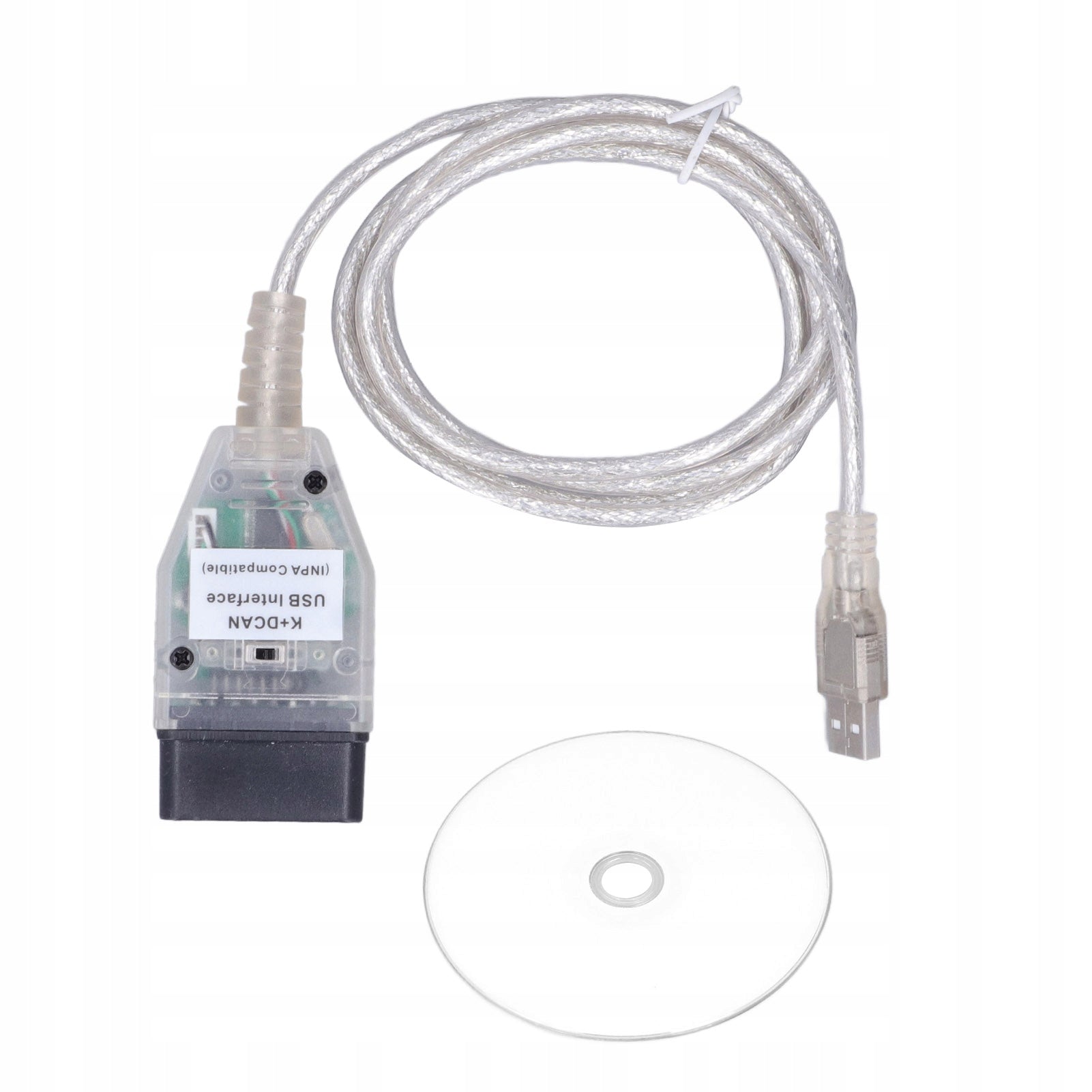


Trumpai apie prekę
Prekė: Diagnostinis kabelis K + DCAN jungtis. Kategorija: Diagnostiniai testeriai ir sąsajos.
- Gamintojas: no brand
- Modelis: 1613210127211
1. Perfect fit: The K+CAN cable is a replacement for the 1 series E81 E82 E83 E87 E88 2004-2011, a replacement for the three series E90 E91 E92 E93 2006-2011.
2. High-quality material: K+DCAN cable is made of high-quality ABS material, lightweight, wear-resistant, anti-aging, durable and durable.
3. Function: car diagnostic cable with functions of reading and removing errors, adaptation, driver programming, application coding and more.
4. Original standard: professional production according to original standard, stable performance and high reliability.
5. Easy installation: easy to install, no modification required, convenient to use, saving time and energy.
Specification:
Item Type: Car Diagnostic Cable
Material: ABS
English Language
Assembly:
- Replacement for 1 series E81 E82 E83 E87 E88 2004-2011)
- Replacement for three series E90 E91 E92 E93 2006-2011!
- Replacement for Division 5 E60 2004-2009
- Replacement for Z4 E85 E86 2002-2008 E89 2009 present!
- Replacement for X1 E84
- Replacement for X5 E70
- Replacement for X6 E71
List of packages:
- 1x Car Diagnostic Cable
- 1 x CD
How to use:
Connect to OBD2 port and use.
Chassis F is not currently supported!!!
Refresh function:
1. Activation of daytime running lights
2. Long press the lock button for two seconds to automatically fold the rearview mirror;
3. When the flame is extinguished, the wiper automatically returns to its position
4. Display the digital speed in the middle of the instrument;
5. When the flame is extinguished, the key pops out of the lock and other functions
User manual
1. In “System Settings” find “System Properties”
2. Select "System Properties\Equipment\Device Manager"
3. In the Device Manager, in the "Connections" section, select "USB serial port"
4. In the “Port Settings” window, click the “Advanced...” button.
5. In the "Advanced COM Settings" window, set the value of "Delay Timer (ms)" to "1"
6. Apply this setting to all USB serial ports that use the OBDII interface (including OBDII USB adapters).
Comments:
1. The computer system does not support Windows 11 and later versions.
2. If you cannot find the device or the connection is unstable, you must configure the USB serial port. Configuration methods and screenshots are included in the FAQ section: If there are interruptions during communication, you need to adjust the basic settings of the "USB serial port".
Other problems: The product does not connect to the computer
Solution: If there are interruptions during communication, you need to adjust the basic settings of the "USB serial port".
The specific steps are as follows:
1. In the Control Panel, find “System Properties”
2. Select "System Properties\Equipment\Device Manager"
3. In Device Manager, in the "Connections" section, select "USB serial port"
4. In the “Port Settings” window, click the “Advanced...” button.
5. In the "Advanced COM Settings" window, set the value of "Delay Timer (ms)" to "1"
6. Apply this setting to all USB serial ports that use the OBDII interface (including OBDII USB adapters).
Specifications
| Group | Name | Value |
|---|---|---|
| Parametry | Condition | new |
| Parametry | Invoice | With VAT invoice |
| Parametry | Brand | no brand |
| Parametry | Product weight with unit packaging | 0.11 kg |
| Parametry | EAN (GTIN) | 6901456488166 |
| Parametry | Manufacturer code | 1613210127211 |
| Parametry | Batteries included | no |