
Piegādes termiņš katrai precei ir norādīts pie cenas bloka.
Piegāde visā Latvijā: bez maksas.




Trumpai apie prekę
Prekė: Belaidis skaičių klaviatūros blokas SATECHI Numeric Bluetooth. Kategorija: Belaidžiai.
- Gamintojas: Satechi
- Modelis: Extended Keypad
- Spalva: silver
Know the brand:
Satechi is a renowned technology brand from California, known for designing modern accessories for computers, tablets and smartphones. For years, the company has been creating products that combine minimalist design with functionality and high quality of workmanship, perfectly matching the style of Apple devices and other premium brands.
The offer of Satechi includes m.in. Docking stations, USB-C hubs, chargers, stands and keyboards – all designed with attention to detail and convenience. The brand is recognized worldwide for its combination of elegance, performance and reliability.
What you will receive from us:
✅ Manufacturer: Satechi
✅ Premium Product: accessory made of the highest quality materials guaranteeing 100% satisfaction.
✅ Ecological packaging: the product is protected during transport in an ecological but safe way for the content.
What we guarantee:
✅ Legality of origin: offered product comes from official distribution from authorized seller. So you can be sure that the purchased goods are original and come from a legal source.
✅ Brand new product: the accessory is new, free from defects.
⚠ Note: There is a product protection seal on the manufacturer's factory packaging, ensuring that the not product has been unpacked or used before. If the safety seal is removed, damaged or broken, this may affect the assessment of the condition of the product. The photos and description come directly from the manufacturer and show the product we offer.
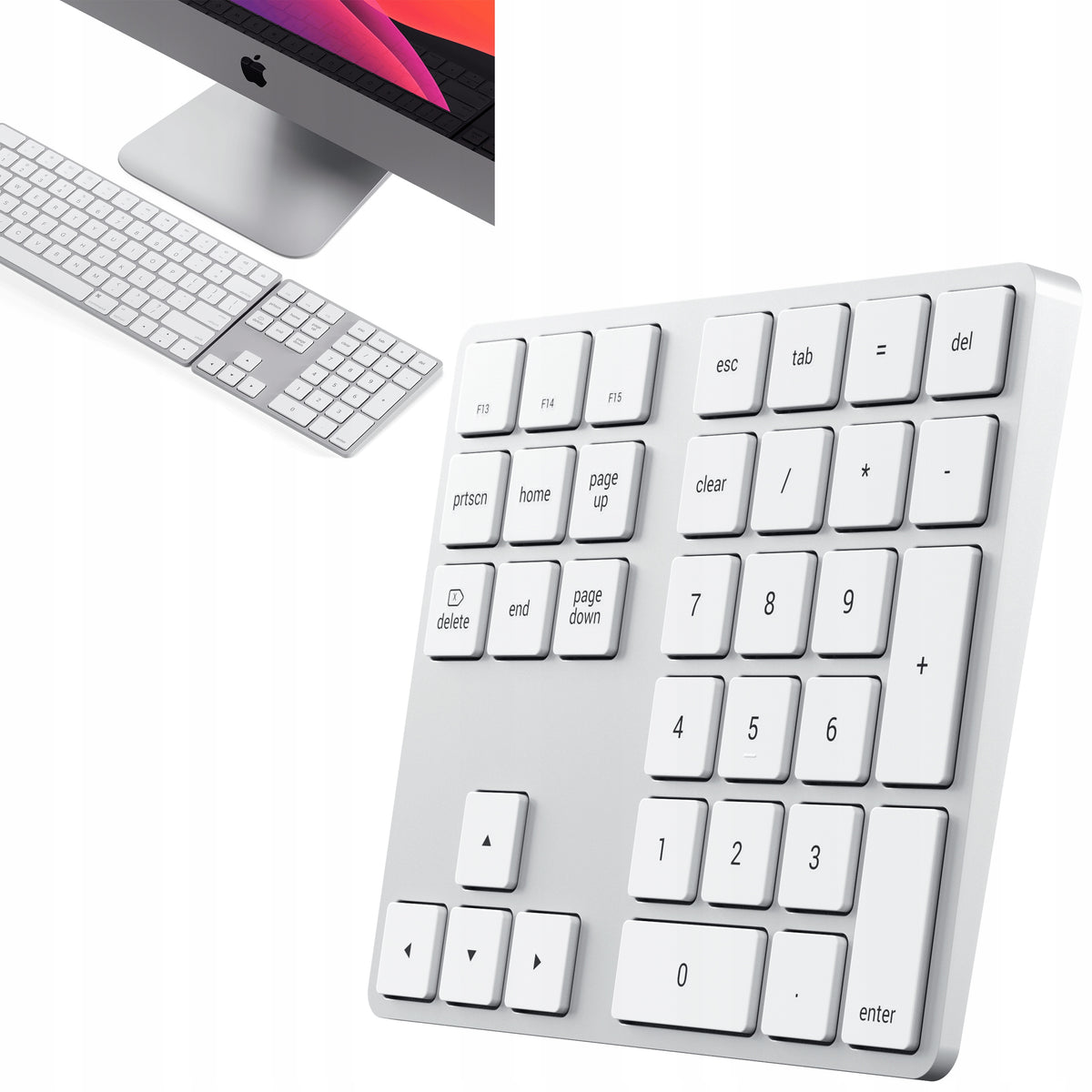
Satechi Bluetooth Extended Keypad in Silver is a wireless numeric keypad with full block of numbers, navigation arrows, and hotkeys for macOS. It connects via Bluetooth to a compatible computer, tablet, or phone, allowing you to enter numbers and navigate through documents.
The built-in rechargeable battery provides up to 50 hours of continuous use between full charges. The keyboard is charged via the USB-C port using the included USB-A-USB-C cable. The key layout is available in US English.
Numeric block and navigation arrows
Bluetooth Extended Keypad provides a full numeric block for entering numbers. Separate arrows allow you to control the cursor and navigate through documents.
The keyboard also includes hotkeys for macOS. Their operation is related to the operating system settings and the selected keyboard layout.
Programmable keys F13, F14 and F15
You can assign shortcuts or your own actions to F13, F14, and F15 keys in the operating system settings. On Mac, the configuration is performed in System Settings.
Wireless Bluetooth connection
The keyboard communicates with the device via Bluetooth. To start pairing, turn it on with the power switch and then hold down the Connect button for about 5 seconds.
The fast-flashing blue LED signals the pairing mode. When you select a keyboard in the list of Bluetooth devices and establish a connection, the blue light lights up for about 5 seconds, after which it goes out.
Bluetooth Extended Keypad connects to one device at a time. To use the keyboard with another computer or tablet, disconnect the current connection and manually connect it to another device.
Up to 50 hours of continuous operation
The manufacturer specifies the time of continuous use for a maximum of 50 hours between full charges. The slow flashing of the blue LED indicates a low battery level.
Automatic sleep mode
After about an hour of inactivity, the keyboard automatically goes into sleep mode to save energy. Pressing any key wakes the device.
The physical On/Off switch allows you to manually turn the keyboard on and off.
Charging with USB-A–USB-C cable
It takes about 2 to 3 hours to fully charge the battery. To do this, connect the included USB-A-USB-C cable to the keyboard charging port.
The red LED lights up when charging and goes out when it is finished. The manufacturer indicates that the keyboard only charges with a USB-A-USB-C cable. Charging with a USB-C-USB-C cable is not supported.
US English Key Layout
Bluetooth Extended Keypad has a key layout designed for US English setting. The Bluetooth connection also works with other language and keyboard settings, however some symbols may differ from the markings on the keys.
This includes equals, slashes, commas and dots, and parts of macOS shortcuts. The manufacturer indicates the US English setting in the system as a way to obtain operation in accordance with the key markings.
Compatibility with Apple Computers
The current product sheet and manufacturer documentation include, among others:
- MacBook Neo from 2026.
- MacBook Pro with M5 Pro and M5 Max chips from 2026.
- MacBook Pro with M5, M4, M3, M2 and M1 chips and the manufacturer's indicated Pro and Max versions.
- MacBook Air with M4, M3, M2 and M1 chips and selected models with Intel processors.
- Selected models of iMac and iMac Pro.
- Mac mini from 2018 to 2025.
- Mac Studio from 2022 to 2025.
- Mac Pro from 2023.
The manufacturer does not recommend using the keyboard with Mac computers from 2011 and older.
Compatible with iPad and iPhone
The list of compatible devices includes selected iPad Pro, iPad Air, iPad and iPad mini models. The current product card lists, among others, the iPad Air M4 from 2026, iPad 10. and 11. generation and iPad mini 6. and 7. generation.
The manufacturer also indicates compatibility with select iPhones, including iPhone 17e, iPhone 17, iPhone 17 Pro, iPhone 17 Pro Max, and iPhone Air.
Pairing with Windows
The Satechi documentation includes Bluetooth Extended Keypad pairing instructions for Windows 10 and Windows 11. The manufacturer recommends that you do this through the Control Panel, in the Hardware and Sound section, and then Devices and Printers.
After selecting the keyboard, use the option to enter the code on the device, enter the displayed code directly on the numeric keypad and approve with the Enter key.
Keyboard does not support Windows 7 and Windows 8. Some keys may vary depending on the operating system.
Technical specification
- Manufacturer color: Silver.
- Device Type: Extended Numeric Keyboard.
- Connectivity: Bluetooth.
- Connection to one device at a time.
- Key layout: US English.
- Full numeric block and navigation arrows.
- Shortcut keys for macOS.
- Programmable keys F13, F14 and F15.
- Power supply: built-in battery.
- Continuous operation time: up to 50 hours.
- Full charge time: about 2 to 3 hours.
- Charging port: USB-C.
- Charging cable required: USB-A–USB-C.
- Automatic dormancy after about an hour of inactivity.
- On/Off power switch.
- LED indicators for connection, low battery and charging.
- Dimensions: approximately 14,73 × 11,43 × 1,02 cm.
- Weight: about 0,125 kg.
Contents of the set
- Satechi Bluetooth Extended Keypad in Silver.
- USB-A–USB-C charging cable.
- User manual.
Specifications
| Group | Name | Value |
|---|---|---|
| Parametry | Condition | new |
| Parametry | Invoice | With VAT invoice |
| Parametry | Manufacturer | Satechi |
| Parametry | Keyboard layout | ARABIC (qwerty) |
| Parametry | Keyboard type | membrane |
| Parametry | Interface | Bluetooth |
| Parametry | Design | number pad |
| Parametry | Color | silver |
| Parametry | Manufacturer code | SATSTXLABKSAGPL |
| Parametry | Model | Extended Keypad |
| Parametry | EAN (GTIN) | 5906436902862 |
| Parametry | Product weight with unit packaging | 0.1 kg |
| Parametry | Packaging status | original |
| Parametry | Certificates of conformity | CE |
| Parametry | Batteries included | yes |