
Piegādes termiņš katrai precei ir norādīts pie cenas bloka.
Piegāde visā Latvijā: bez maksas.
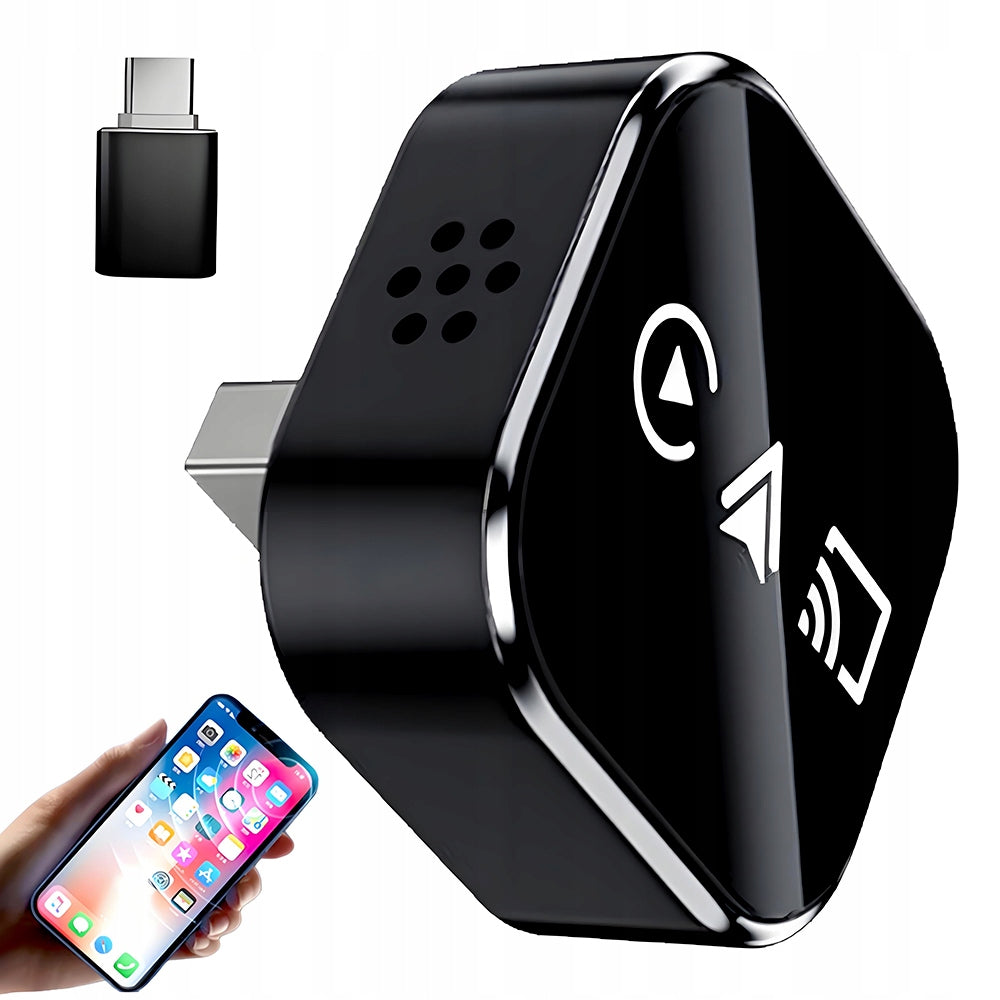


Trumpai apie prekę
Prekė: Belaidis „Apple“ ir „Android Auto CarPlay“ adapteris 4-in-1. Kategorija: Nešiojamos kolonėlės.
- Gamintojas: no brand
- Modelis: other (au)
- Galia: 18 W
- Spalva: black
Wireless Carplay Adapter 4in1 CarPlay, Android Auto , Airplay iOS & Mirror link Android
MINI Adapter Wireless CarPlay, Android Auto , Airplay iOS & Mirror link Android 4in1
Are you annoyed by the need to constantly connect your phone with a cable in your car? Would you like to have full access to navigation, music and messages on the car screen while maintaining convenience and safety? Our MINI Adapter 4in1 is the answer to the needs of the modern driver. It’s a sleek, compact device that turns your standard multimedia system into a full-fledged entertainment and communication center in no time, operating completely wirelessly.
Gain unparalleled freedom, security, and convenience with 4 key features in 1 tiny device.
Wireless CarPlay for iPhones: Full integration with your car screen. Use Apple Maps, play music from Apple Music/Spotify, answer and initiate calls, read and dictate messages – all with Siri voice commands or touch.
Wireless Android Auto for Android Smartphones: Keep Google Maps or Waze navigation, your playlist, contacts and Google Assistant always at hand. Control by voice or using the car screen.
Wireless Airplay: Display all the content of your APPLE's screen on your car screen. Perfect for showing photos, playing YouTube videos, or using other apps while you're stationary.
Wireless Mirror link Android (Screen Sharing): Display all the content of your Android screen on your car screen. Perfect for showing photos, playing YouTube videos, or using other apps while you're stationary. (Not applicable for Google phones, Apple phones and Xiaomi phones. )
Streaming apps (Netflix, Disney+, etc. ) for licensing reasons, they may block the display of the video, however, the sound and interface are fully available.
Total Cable Freedom: No more searching for cable, tangling around the console. You get in and the system connects automatically.
Plug & Play in 3 Steps: Connect the adapter to USB in your car, pair your phone via Bluetooth, and enjoy wireless connectivity. No complicated configuration.
Automatic Connection: After the first pairing, the adapter connects to your phone automatically every time you start your car. Just get in there and go.
Stability and Smoothness: With a powerful processor and 5GHz Wi-Fi support, transmission is stable, latency is minimal, and sound and picture quality is excellent.
Driving Safety: Enjoy navigation, music, and calls with voice commands or buttons on the steering wheel without taking your eyes off the road.
Compact and Discreet Design: Small size (approx. 3.0cm x 3.0cm x 1.2cm) make the adapter almost disappear in the USB socket without disfiguring the interior.
For whom? For drivers whose car has a factory or aftermarket system with wired CarPlay or Android Auto (in most cars from approx. 2016 years).
📱 Support for Systems:
iOS: Version 10 and later (full wireless support).
🚗 Universal Connectors: The adapter has a USB-A port. The set also includes a USB-C adapter, ensuring compatibility with modern sockets in cars.
MINI Wireless Adapter 4in1
USB-A→ USB-C adapter
instruction manual (QR link on the package) Poland pdf
For CarPlay (iPhone):
Connect the adapter to the USB port in your car.
On the car screen, select the CarPlay icon.
On iPhone: Settings > Bluetooth, find and select "SmartBOX-xxxx".
Accept the pairing. You're done! Other connections will be automatic.
For Android Auto:
On your Android phone, turn on Bluetooth, find and pair “SmartBOX-xxxx”.
In Settings > Android Auto, activate the "Wireless Connection" option.
Enjoy wireless Android Auto.
Connect the adapter and select Airplay on the car screen.
On your phone, turn on the “Screen Sharing” feature (Smart View, Cast, Wireless Screen, etc. ).
Select the device "SmartBOX-xxxx" from the list.
The image from the phone will appear on the car screen.
Connect the adapter and select Mirror link on the car screen.
On your phone, turn on the “Screen Sharing” feature (Smart View, Cast, Wireless Screen, etc. ).
Select the device "SmartBOX-xxxx" from the list.
The image from the phone will appear on the car screen.
4in1 Wireless Carplay Adapter
USB-C adapter
Specifications
| Group | Name | Value |
|---|---|---|
| Parametry | Condition | new |
| Parametry | Invoice | With VAT invoice |
| Parametry | Brand | no brand |
| Parametry | Model | other (au) |
| Parametry | Color | black |
| Parametry | Power supply | rechargeable battery |
| Parametry | Power | 18 W |
| Parametry | EAN (GTIN) | 6906373530509 |
| Parametry | Manufacturer code | 5985985 |
| Parametry | Batteries included | yes |
| Parametry | Functions | audio files support,receiving calls,splash-resistant,powerbank function,karaoke function,FM radio,control with a smartphone,hands-free mode,built-in microphone |